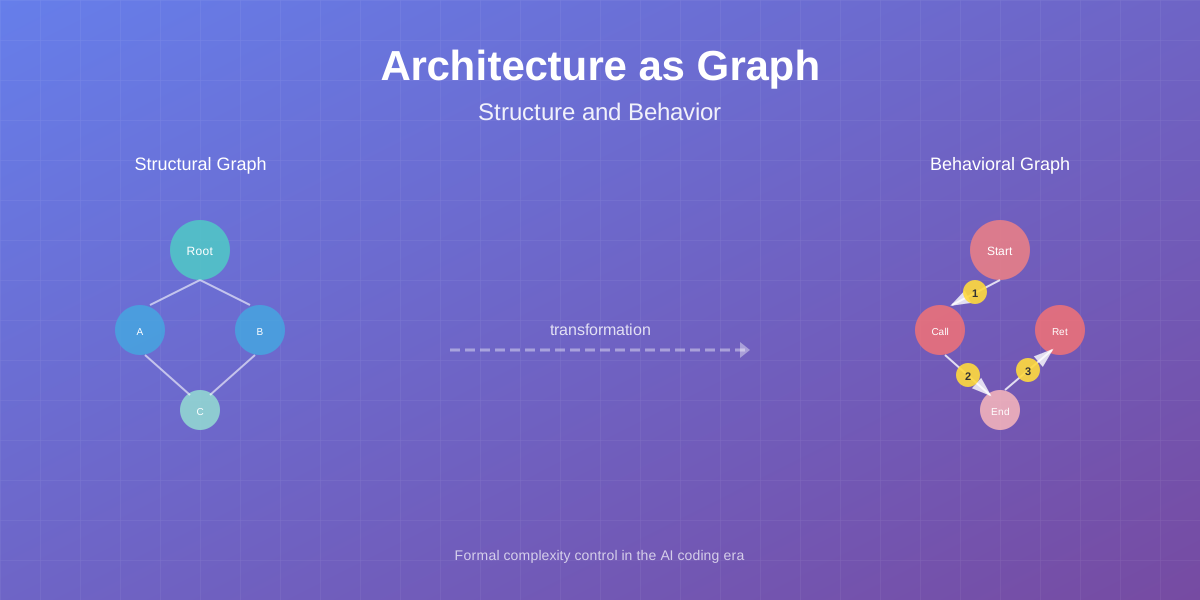
Why Vibe Coding Doesn’t Work
With the emergence of AI agents, software development has changed dramatically. Like many developers, I started actively using Claude, Cursor, and other tools to automate code writing. The results were initially impressive: in one evening, doing system analysis, architecture design, and prompt engineering, I could generate up to 100,000 lines of code.
The process was engaging. There was no need to manually write implementations - just describe requirements, discuss architectural vision with AI, clarify details, and code would appear. I could work on my pet projects in the evenings, talking with artificial intelligence like a colleague. This was true vibe coding - a pleasant, creative process unburdened by routine.
Problems didn’t start immediately. The first few days went smoothly: AI quickly generated code, tests passed, functionality worked. But then, after about a week or two of active development, I began noticing alarming symptoms.
Symptoms of Codebase Degradation
Agents started slowing down. What used to take minutes now required tens of minutes. AI began looping on simple tasks, generating excessive code, suggesting refactoring almost the entire project to fix a small bug. The context grew too large, and the agent got lost in its own code.
Architectural anti-patterns appeared. The last straw was when reviewing code I discovered this construction:
| |
The processData function was called twice with identical arguments, but this duplication was hidden inside transform and combine. AI didn’t track that the result could be reused and generated similar code in different functions. But this was just the tip of the iceberg.
Digging deeper, I found:
- Functions with 15-20 parameters, half of which were passed straight through
- Circular dependencies between packages hidden through interfaces
- Duplication of business logic in three different places with slight variations
- God objects that knew about the entire system
- Layers of abstractions that abstracted nothing but only complicated the code
Code became unmaintainable. After two weeks, the project turned into what’s hard to call anything other than a mess. Adding new functionality required more and more time. AI proposed solutions that worked but further tangled the architecture. Every change pulled a chain of other changes in unexpected places.
I got tired of creating projects that live two weeks and then become legacy. These were my own pet projects that I did for fun. I’m not even talking about production systems - that’s completely unacceptable there. I wanted to do development and product growth, not archaeological digs in my own code.
Stop and Understand
I made a decision: stop generating new projects doomed to become unmaintainable and systematically understand the problem. Shifted focus from code generation to research work.
The main research question: how to develop projects with AI agents so they remain evolvable and maintainable?
After analyzing the problem, I came to a key conclusion: vibe coding without formal architecture control is a dead end. AI agents excellently generate code that works here and now. But they don’t see the big picture of architecture, don’t track accumulation of technical debt, don’t notice emerging anti-patterns.
An engineering approach is needed: formal architecture description, automatic validation, quality metrics. Architecture must be explicit, verifiable, controlled. Only this way can codebase degradation be prevented.
I’m starting a series of articles on architecture control research, viewing it as a graph data structure. In this first article, I’ll show how to automatically build two types of architectural graphs: structural (static) and behavioral (dynamic). All examples are based on a real project archlint - a tool for automatic construction and validation of architectural graphs that I’m developing during the research.
In subsequent articles of the series, I’ll cover validation of architectural rules and code quality metrics based on graph theory.
Structural Architecture: Static System Graph
When we talk about software system architecture, we often mean its structure: what components the system consists of, how they’re organized, how they’re connected to each other. Structural architecture is a static picture capturing potential connections between code elements.
Why a Formal Structure Model is Needed
In traditional development, structural architecture exists as diagrams in documentation, team conventions, knowledge in experienced developers’ heads. This suffices when code is written by people who understand context and keep the big picture in mind.
With AI agents, the situation is different. An agent works in limited context, has no global system vision, doesn’t remember architectural decisions made a week ago. Each time generating code, it sees only a fragment of the system in the context window.
The result is predictable: architecture degrades. Circular dependencies appear, code duplication, layered structure breaks. Informal conventions don’t work - there’s no one to follow them.
Formal solution: make architecture explicit, automatically verifiable. A mathematical model is needed that accurately describes system structure and allows automatic validation of its correctness.
Graph as a Formal Model
Structural architecture can be represented through a mathematical abstraction - a directed graph G = (V, E), where:
- V (vertices) - set of nodes representing system components
- E (edges) - set of edges representing connections between components
Each node v ∈ V has:
- id - unique identifier (e.g., full package or function name)
- type - component type (package, struct, function, method, interface)
- properties - additional properties (filename, code line, visibility)
Each edge e ∈ E has:
- from - source node
- to - target node
- type - connection semantics (contains, calls, uses, imports, embeds)
This simple model turns out powerful enough to describe real systems. The graph allows:
- Visualizing architecture at different abstraction levels
- Validating architectural rules (e.g., “UI layer must not depend on DB layer”)
- Computing metrics (connectivity, cyclomatic complexity, dependency depth)
- Tracking changes over time
Real Example: archlint Architecture
Let’s examine the structural architecture of a real project - archlint. This is a tool for building and analyzing architectural graphs, written in Go. Let’s see how its structure looks as a graph.
Package Level (8 packages):
| |
Organization in internal/ vs pkg/ follows standard Go conventions: internal contains private packages used only inside the project, pkg - public libraries that other projects can use.
Data Types:
Data types are organized by domains:
| |
Functions:
Functionality is distributed across packages according to single responsibility principle. For example, in internal/cli:
| |
Connections Between Components:
The connection graph shows dependencies between packages and data types:
main binary] cmdTracelint[cmd/tracelint
linter binary] analyzer[internal/analyzer
code analysis] model[internal/model
graph model] cli[internal/cli
CLI commands] linter[internal/linter
trace validation] tracer[pkg/tracer
tracing library] cmdArchlint -->|uses| cli cmdTracelint -->|uses| linter cli -->|uses| analyzer cli -->|uses| tracer analyzer -->|produces| model tracer -->|uses| model linter -->|uses| tracer style cmdArchlint fill:#e1f5ff style cmdTracelint fill:#e1f5ff style analyzer fill:#fff4e1 style model fill:#f0f0f0 style tracer fill:#d4edda
This diagram shows high-level architecture. We can see that:
- Two binaries (
cmd/archlintandcmd/tracelint) use different subsystems - The analyzer doesn’t depend on CLI, can be used independently
- The graph model (
internal/model) is the central data structure - Tracer is a public library (
pkg/tracer) that other projects can use
Automatic Graph Building from Source Code
Theoretical model is good, but automation is needed. Manually describing a graph of hundreds of components and connections is unrealistic. Moreover, the graph must automatically update with every code change.
Building the structural graph happens in four stages:
Stage 1: Source Code Analysis
Using the standard go/ast package, we go through all project files and build an abstract syntax tree (AST). AST gives complete information about code structure: packages, imports, types, functions, methods, calls.
| |
The command recursively analyzes all .go files in the current directory and its subdirectories.
Analysis result:
| |
Important point: external dependencies are also accounted for. These are packages from Go standard library and third-party modules used by the project. The complete dependency picture includes them.
Stage 2: Graph Node Formation
Each found component becomes a graph node. Nodes have a hierarchical identifier structure:
| |
The identifier follows Go conventions: package.Type.Method. This allows unambiguous identification of any system component.
Stage 3: Graph Edge Formation
We create edges expressing connection semantics between components:
| |
Different edge types allow distinguishing connection semantics:
contains- ownership relationship (package contains type, type contains method)calls- function or method calluses- type usage (e.g., in function signature or struct field)imports- package importembeds- type embedding (embedding in Go)
Stage 4: Saving in YAML Format
The output is a complete system graph in YAML format. This file can be:
Visualized: Generate diagrams using PlantUML, Graphviz, or web interfaces like DocHub.
Validated: Check architectural rules. For example:
- “Package
internal/modelmust not depend on anything except standard library” - “Circular dependencies between packages are forbidden”
- “Maximum call nesting depth is 5 levels”
Analyzed: Compute metrics:
- Graph connectivity (how many components are connected)
- Cyclomatic complexity
- Dependency tree depth
- Coupling and cohesion metrics
Track changes: Compare graph versions, see architecture evolution over time.
The structural graph of archlint is a complete, formal description of the system’s static structure that automatically updates and can be checked with every commit.
Behavioral Architecture: Dynamic Execution Graph
Structural architecture shows what the system can do - all potential execution paths. But it doesn’t answer the question: what does the system actually do? Which components are used in specific scenarios? How does data flow through the system?
To answer these questions, behavioral architecture is needed - a dynamic picture of system execution.
Why Behavioral Architecture is Needed
Imagine a large system with a structural graph of thousands of components. You’re adding a new feature. Which components are actually used? What execution paths does a request take?
Without behavioral architecture, you can only guess by reading code. With it - you see the exact sequence of calls built from actual execution.
Behavioral architecture is critically important for:
- Understanding complex scenarios - seeing the sequence of actions
- Performance optimization - finding bottlenecks in real execution paths
- Identifying dead code - functions that aren’t called in any scenario
- Documentation - automatic sequence diagrams instead of manual drawing
- Coverage control - which business scenarios are covered by acceptance tests
How Acceptance Tests Form Behavioral Architecture
Key idea: behavioral architecture isn’t invented abstractly - it’s extracted from real executable code. The source is acceptance tests.
The “one task - one acceptance test” principle:
With proper work decomposition, each task has an acceptance test that verifies implementation correctness. An acceptance test describes a specific system usage scenario - it defines an execution context.
For example:
- Task “Calculator with Memory” -> acceptance test
TestCalculateWithMemory - Task “Export Report to PDF” -> acceptance test
TestExportReportToPDF - Task “OAuth Authorization” -> acceptance test
TestOAuthLogin
Each such test defines a separate context - an isolated system usage scenario.
Behavioral graph building process:
Calculate with Memory] test[Acceptance Test:
TestCalculateWithMemory] trace[Trace File:
test_calculate.json] seq[Sequence Diagram:
PlantUML] behgraph[Behavioral Graph:
Numbered Edges] context[Context:
CalculateWithMemory] feature --> test test --> trace trace --> seq trace --> behgraph seq --> context behgraph --> context style feature fill:#e1f5ff style test fill:#fff4e1 style trace fill:#f0f0f0 style context fill:#d4edda
- Feature - business requirement or task
- Acceptance test - code verifying the feature
- Trace - complete call sequence during test execution
- Sequence diagram - visualization of interaction sequence
- Behavioral graph - graph with numbered edges
- Context - formalized feature execution context
Real Example: “Calculate With Trace” Context
Let’s examine a real acceptance test from the archlint project:
| |
The test looks like a regular Go test but with tracing added. tracer.StartTrace and tracer.StopTrace wrap scenario execution.
Code Instrumentation:
All system functions contain instrumentation points:
| |
Instrumentation is minimal: tracer.Enter at function start, tracer.ExitSuccess at end (via defer). This doesn’t affect logic, only records the fact of the call.
Tracing Result:
After test execution, we get a JSON file with the complete sequence of all calls:
| |
Each event contains:
event- event type (enter/exit_success/exit_error)function- full function nametimestamp- exact call timedepth- nesting level (0 = top-level, 1 = first call, etc.)
The depth field allows reconstructing the call hierarchy: which function was called from which.
Automatic Context Generation:
A context is automatically generated from the trace file:
| |
Result - formal context description in YAML:
| |
The context includes:
- title - human-readable name
- location - place in context hierarchy
- components - list of all components participating in the scenario
- uml.file - path to automatically generated PlantUML diagram
Visualizations: Sequence Diagram and Graph
From one trace, two different representations can be obtained: a sequence diagram and a behavioral graph.
Sequence diagram shows the sequence of interactions between components over time:
The sequence diagram is convenient for understanding the sequence of actions: who calls whom, in what order, what data is passed. This is a classic UML representation familiar to all developers.
Behavioral graph represents the same data as a graph with numbered edges:
The graph is more compact than the sequence diagram and better suited for analysis. Numbers on edges show call order.
Key features of the behavioral graph:
- Edges are numbered - execution order is preserved
- Multigraph - there can be multiple edges between two nodes (if the function was called multiple times)
- Context-dependent - shows a specific scenario, not all possible paths
- Subgraph of structural graph - each behavioral graph node exists in the structural graph
Behavioral Architecture Coverage Metrics
Acceptance tests directly determine the completeness of behavioral architecture. Each acceptance test creates one context. The totality of all contexts is the complete behavioral architecture of the system.
Key metrics:
Component coverage:
| |
For example, if the structural graph has N components and M components are called in acceptance tests, then coverage = M/N * 100%.
Number of contexts:
The more acceptance tests, the more contexts, the more complete coverage of different usage scenarios.
Critical path coverage:
Not all components are equally important. Critical business scenarios can be marked and their coverage tracked separately.
Dead code detection:
If a component is present in the structural graph but doesn’t appear in any context - it’s a candidate for removal. Either the code is dead or acceptance tests are lacking.
In a real project, aim for 80%+ coverage of critical paths with acceptance tests.
Conclusion: Two Views of Architecture
In this article, I showed how to represent software system architecture through a graph data structure. Two types of graphs provide two different but complementary views of the system:
Structural graph shows how code is organized: what components exist and how they can interact. This is a static picture of potential connections. Construction is automated through AST analysis of source code.
Behavioral graph shows how the system actually works: which components are called in specific scenarios and in what sequence. This is a dynamic picture of actual execution paths. Construction is automated through acceptance test tracing.
Key difference: the structural graph contains ALL possible connections, behavioral - only those actually used in business scenarios.
What’s Next
Graphs themselves are just the foundation. The interesting part begins when we use them for architecture quality control.
In subsequent articles of the series, I’ll show:
- Validation of architectural rules - how to check graph constraints: prohibition of circular dependencies, layered architecture control, call depth limits
- Graph theory metrics - how to measure architecture quality through connectivity, centrality, modularity and other metrics
- AI-generated code control - how to use graphs and metrics to prevent architectural degradation when developing with AI agents
Tools
All tools for building architectural graphs are available in the open repository: github.com/mshogin/archlint
The tool works with Go projects, but the approach is universal and applicable to any programming language.
The project includes:
- Go code analyzer for building structural graphs
- Tracing library for building behavioral graphs
- Visualization generators (PlantUML, Mermaid)
- CI/CD integration examples